
简介
一直在使用 hexo-deploy-git 插件部署我的部署到 Github Page, 不知道最近抽什么风, Github Pages 部署一直失败.
今天有空查看了日志才发现一直使用的是 Jekyll 来编译我的静态文件, 应该是我以前的博客需要使用 Jekyll 来编译, 不过现在已经不需要了, 因为我上传的已经是 Hexo 编译后的静态文件了, 最近应该是修改了某些插件导致 Jekyll 解析 URL 出现了问题所以才暴露了这个问题.
解决方法
因为我直接上传的 Hexo 编译后的今天文件, 所以只需要将静态文件通过 Github Action 拷贝到 Github Pages 即可, 所以部署应该更简单, 下面是详细过程.
修改 Pages 配置
Github Pages 默认使用 Jekyll 来部署:
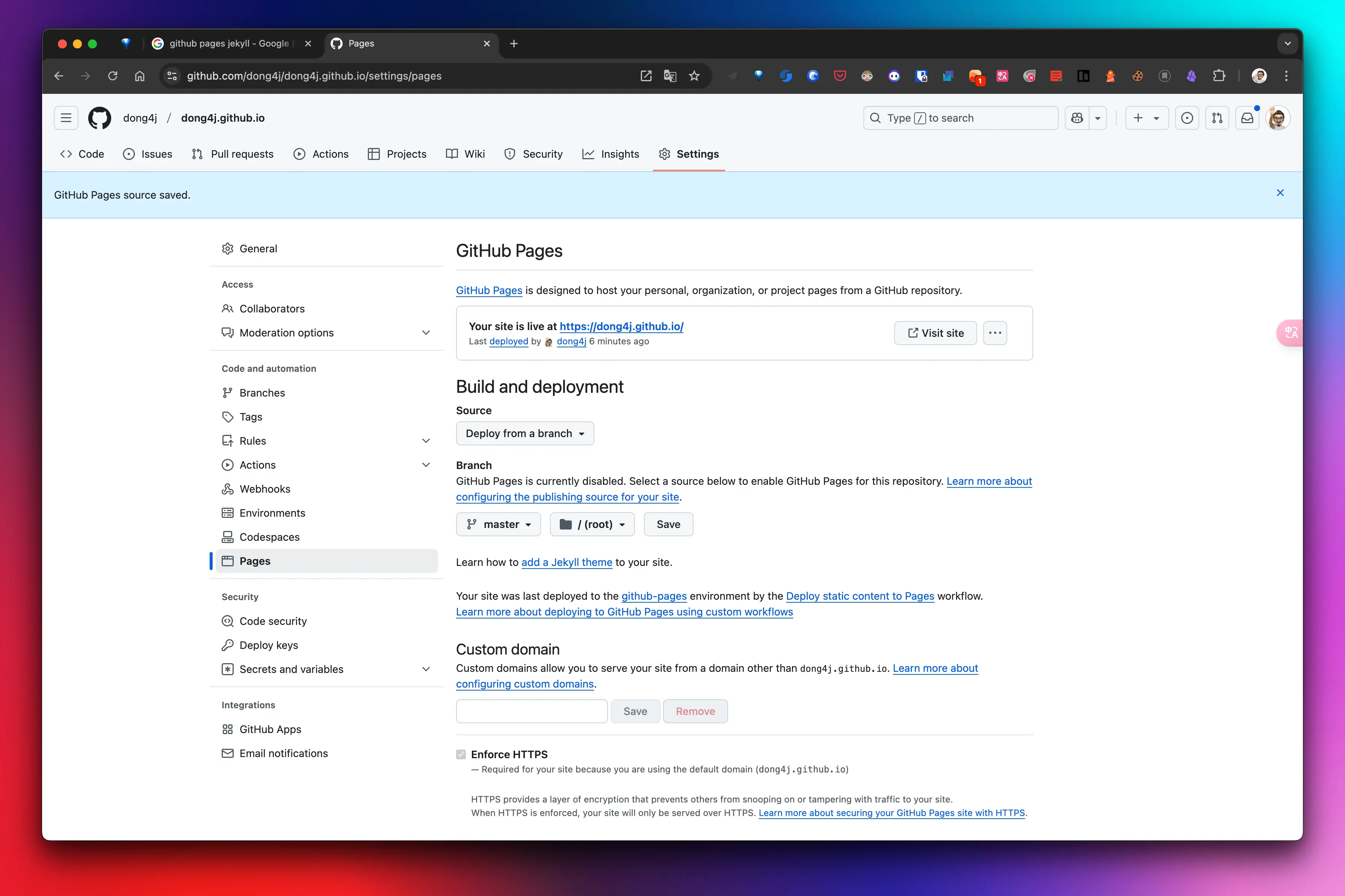
所以这里需要修改为使用自定义 action 来部署:
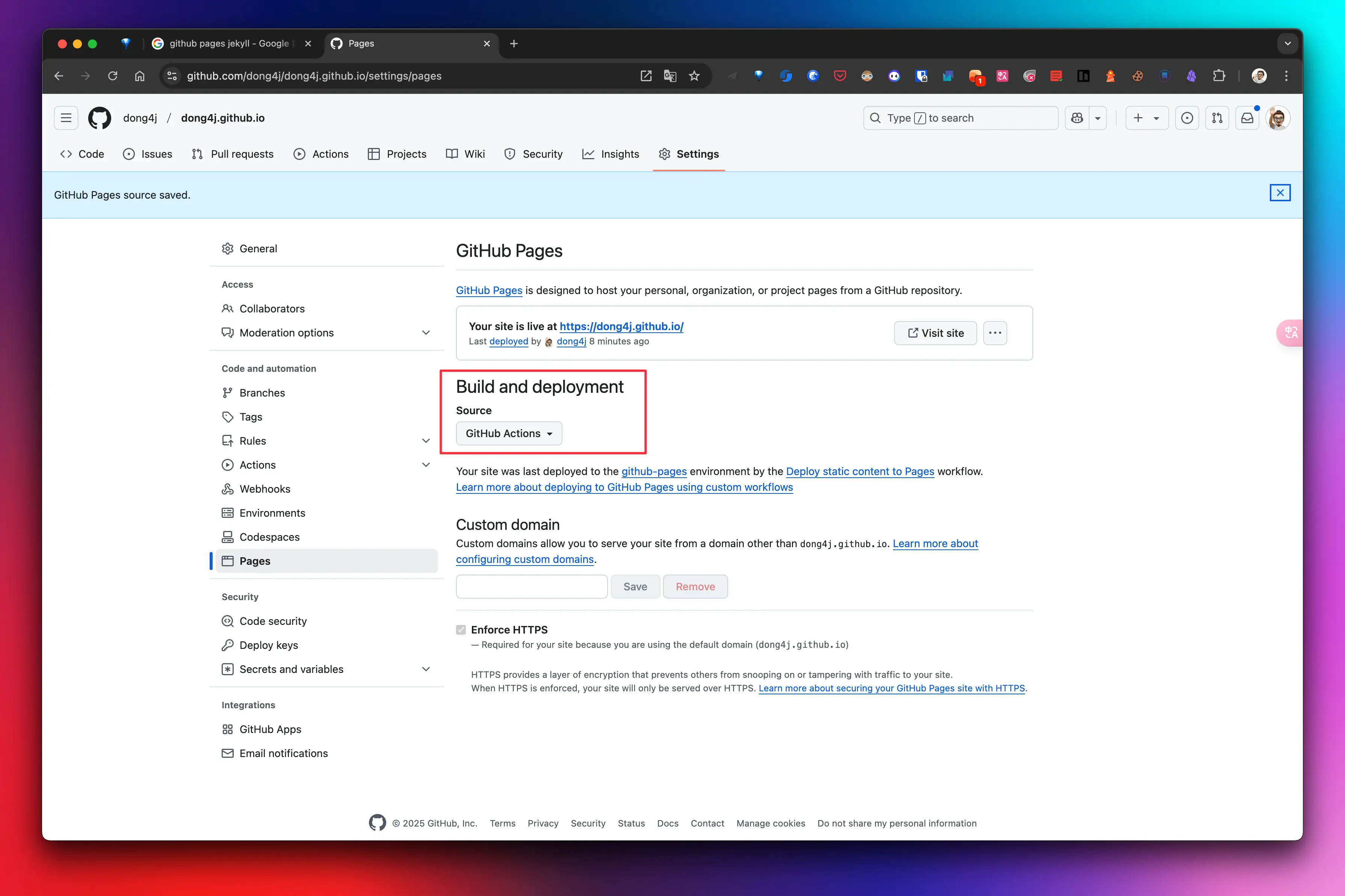
添加 action 配置
# Simple workflow for deploying static content to GitHub Pages
name: Deploy static content to Pages

on:
  # Runs on pushes targeting the default branch
  push:
    branches: ["deploy"]

  # Allows you to run this workflow manually from the Actions tab
  workflow_dispatch:

# Sets permissions of the GITHUB_TOKEN to allow deployment to GitHub Pages
permissions:
  contents: read
  pages: write
  id-token: write

# Allow only one concurrent deployment, skipping runs queued between the run in-progress and latest queued.
# However, do NOT cancel in-progress runs as we want to allow these production deployments to complete.
concurrency:
  group: "pages"
  cancel-in-progress: false

jobs:
  # Single deploy job since we're just deploying
  deploy:
    environment:
      name: github-pages
      url: ${{ steps.deployment.outputs.page_url }}
    runs-on: ubuntu-latest
    steps:
      - name: Checkout
        uses: actions/checkout@v4
      - name: Setup Pages
        uses: actions/configure-pages@v5
      - name: Upload artifact
        uses: actions/upload-pages-artifact@v3
        with:
          # Upload entire repository
          path: '.'
      - name: Deploy to GitHub Pages
        id: deployment
        uses: actions/deploy-pages@v4
意思是会将 deploy 分支部署到 GitHub Pages, 操作步骤一目了然.
部署命令
这里放弃了使用 hexo-deploy-git 插件, 直接使用自定义命令来执行部署, 定制化更强.
需要定制的操作是 Github Action 的配置如何处理.
因为我们知道 hexo-deploy-git 其实是将编译到 public 目录下的文件全部拷贝到 .deploy_git 目录下, 然后执行强推覆盖仓库的文件的, 所以我们需要想办法将 GitHub Action 配置添加到仓库, 下面是全部的部署命令:
mkdir -p .deploy_git \
  && cd .deploy_git \
  && git init \
  && git remote add origin [email protected]:dong4j/dong4j.github.io.git \
  && git checkout -b deploy \
  && mkdir -p .github/workflows && cp ../.nojekyll ./ && cp ../.github/workflows/static.yml .github/workflows/ \
  && cp -r ../public/* ./ \
  && git add . \
  && git commit -m "auto deploy" > /dev/null 2>&1 \
  && git push origin deploy --force
因为我使用 makefile 来管理 hexo 的整个生命周, 而上面的命令应该是 hexo g 之后才能执行.
关键的操作为:
- 使用 deploy 分支, 这个需要和 Github Action 配置保持一致;
- 拷贝
public目录下编译后的文件到.deploy_git目录中; - 添加
.github/workflows中的 Action 配置文件, 添加.nojekyll文件从而禁用 Jekll(可选); - 强制推送到远端仓库;
问题
一套流程下来, 执行 GitHub Action 是出现了问题:
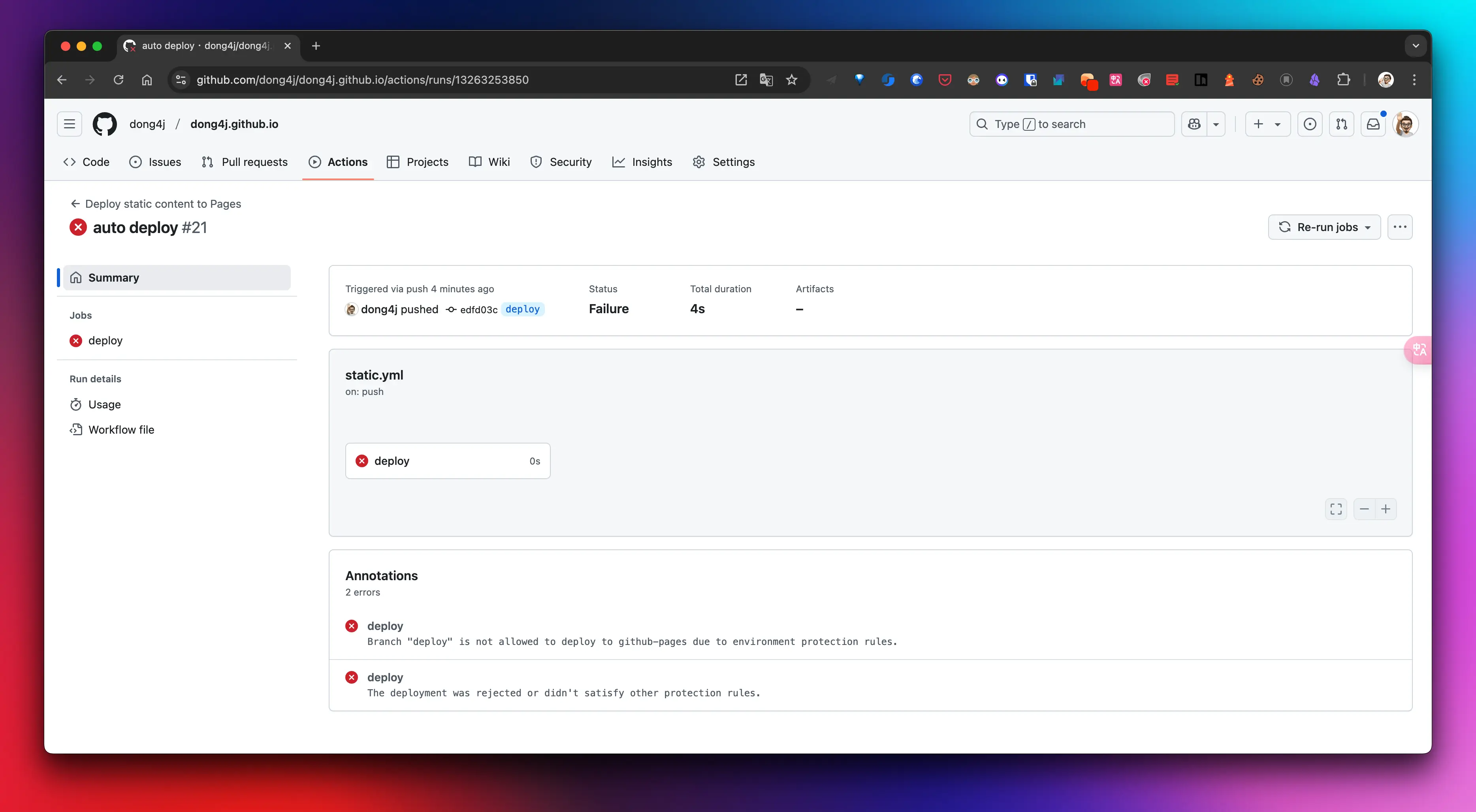
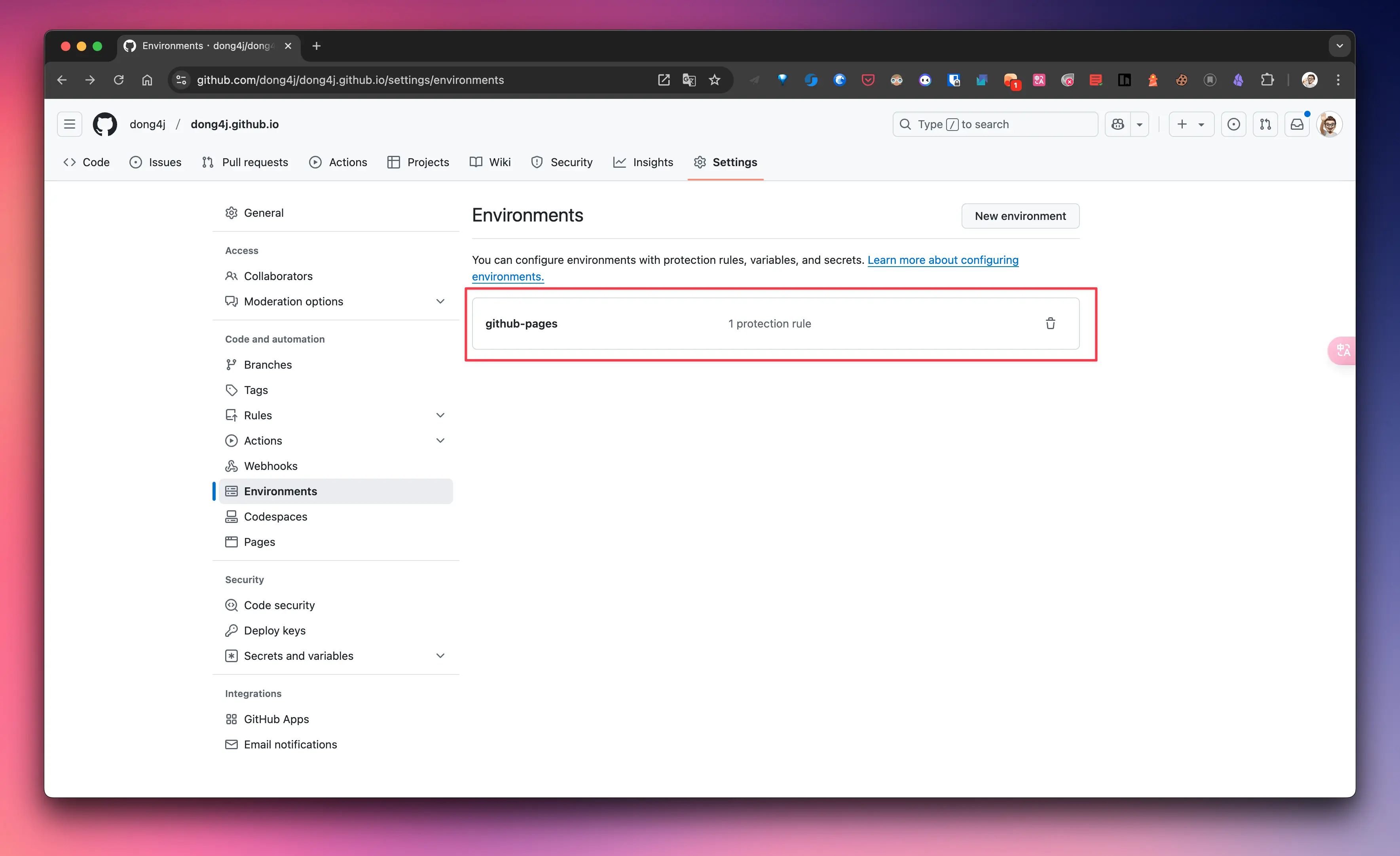
需要修改一下 rules, 删除这个 rule 即可:
总结
这套流程操作下来, 减少了部署时间, 主要是我沿用了老博客的 Github Pages 配置, 但是今天才爆出问题我也非常诧异, 没想到 Jekll 的兼容性这么好.